



FlashVault™ — Banish "Storage Almost Full" Alerts Forever | Ready-to-Use 500GB Plug-and-Play
Quit Deleting Photos Just to Send One More Text
If "Storage Almost Full" pops up again while you're recording, your phone might just end up in a lake. FlashVault™ transfers your photos, 4K videos, and project files off your phone in one simple plug — no adapter searching, no iCloud fees, no waiting for a slow upload bar.

End the iCloud Forever Fee and the Adapter Chase
The cycle is brutal — deleting screenshots, losing photos stuck in iCloud limbo, paying more monthly, yet still running out of space as soon as you try to record. FlashVault™ stops all that by providing your iPhone, Android, laptop, or Mac a 500 GB pocket vault they can all connect to without a pile of adapters.
➤ USB 3.0 Speeds: Transfers a full 4K iPhone video in seconds, no more waiting for iCloud’s slow upload bar. Plug, transfer, done.
➤ 500 GB of Real Space: Stores years of photos plus hours of 4K videos — enough to back up your whole phone twice and never delete a screenshot again.
➤ Plug-and-Play on Every Device You Own: Ready to use with iPhone, Android, PC, and Mac straight out of the box. No drivers, apps, or adapter sets needed.

Thinner Than Two Credit Cards Stacked — Powered by Real SSD Chips
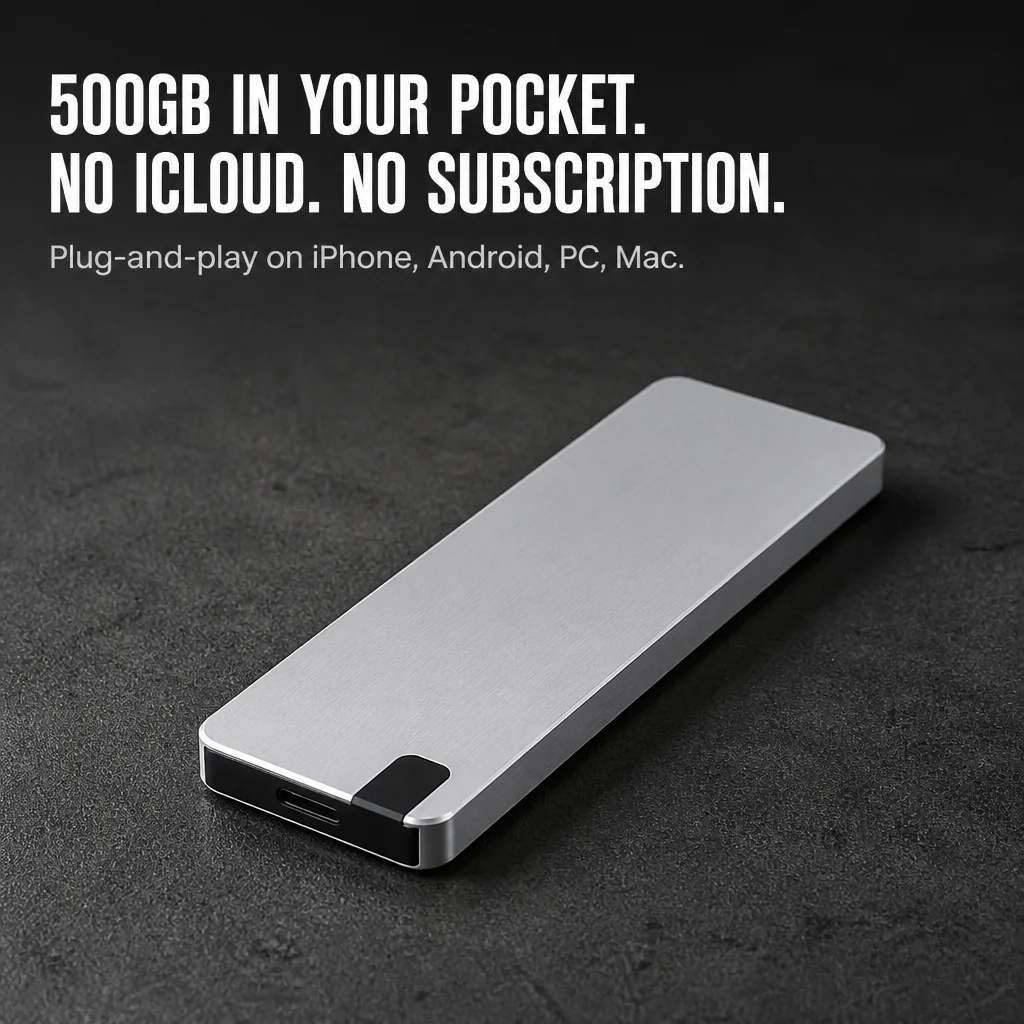
FlashVault™ sports a brushed aluminum body, just 0.9 cm thin and around 60 g light. It fits in your back pocket and is barely noticeable in a bag. Inside, 3D NAND TLC flash manages the read/write operations — the same chip design used by premium SSDs, not the unreliable memory found in cheap thumb drives.
It works between 32°F and 104°F, so neither a hot car nor a chilly airport terminal will damage your files. Toss it in your bag, bring it on your next shoot, and stop treating storage like it’s fragile.

Thousands Switched After One Too Many "Storage Full" Warnings
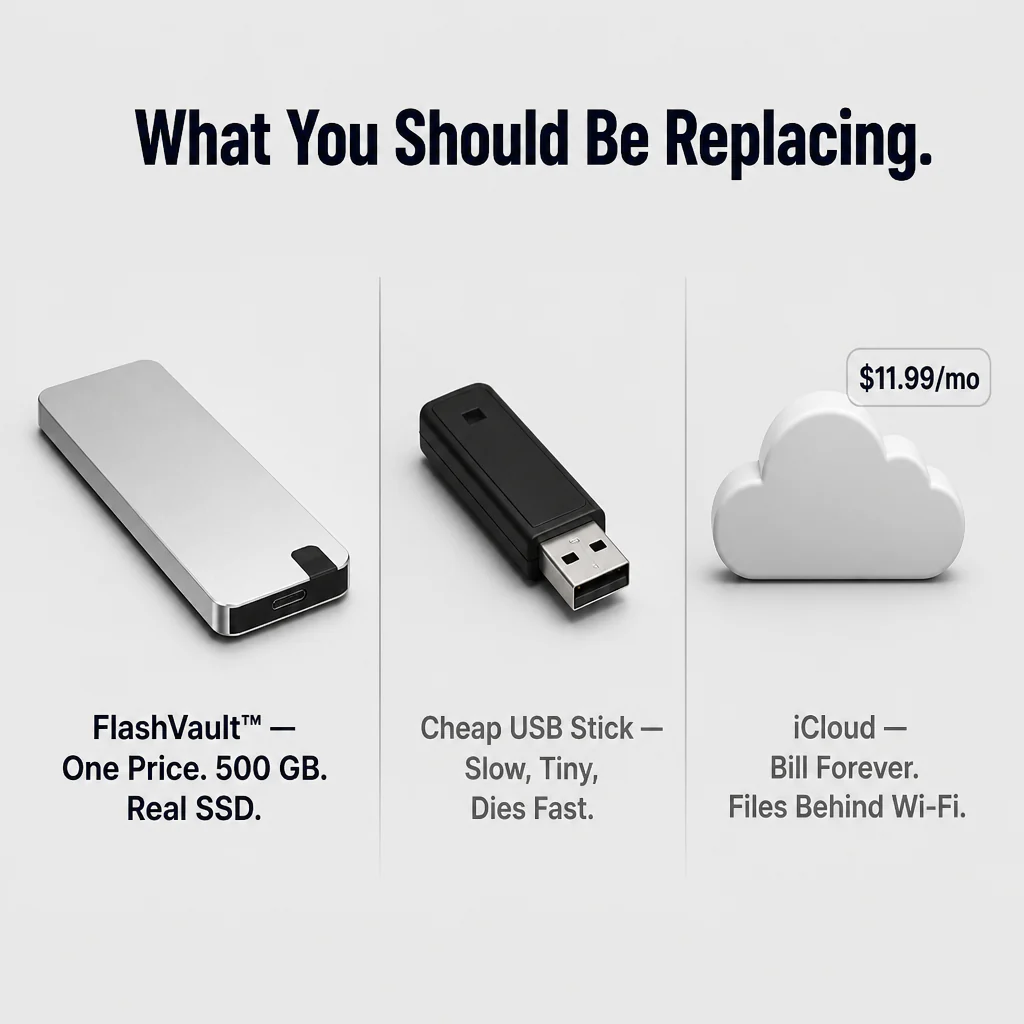
Customers were fed up with monthly iCloud fees, delicate SD cards, and cheap USB sticks that died halfway through transfers. Most plug FlashVault™ in once, back up their entire phone, and say goodbye to the iCloud bill forever.
"I was skeptical about trusting a tiny SSD with client footage — moved 180 GB of 4K video in less than 8 minutes flat. Didn’t even need an adapter for my iPhone 15." — Marcus T.
"Bought this for my mom who was paying $11/month for iCloud. She plugged it in once, backed up three years of grandkid photos, and canceled her subscription that night." — Priya R.

What Plugging It In Once Truly Means
✓ One-Button Auto Backup: Connect FlashVault™ to your phone, press backup, and it pulls all new photos and contacts automatically without you needing to watch over it.
✓ Record 4K Directly to the Drive: Plug in during filming and your iPhone or Android saves video straight to FlashVault™ — no mid-shoot storage freak-outs.
✓ Pocket-Sized, Ready to Travel: 60 g of brushed aluminum tough enough to take a beating in a backpack, glovebox, or gym bag without blinking.
Three Steps from Storage Headache to Storage Freedom
Step 1: Connect FlashVault™ to your iPhone, Android, PC, or Mac using the included cable.
Step 2: Tap one-touch auto-backup — or transfer files manually like any external drive.
Step 3: Cancel your iCloud upgrade, clear up your phone, and keep recording.

| FlashVault™ | Cheap USB Sticks | iCloud / Cloud Storage |
|---|---|---|
| 500 GB Real Capacity on 3D NAND TLC | ❌ | ❌ |
| One Flat Price — No Monthly Bill | ✓ | ❌ |
| Plug-and-Play On iPhone, Android, PC & Mac | ❌ | ❌ |
The Spec Sheet, If You're Into The Details
- Storage Capacity: 500 GB
- Interface: USB 3.0
- Memory Type: 3D NAND TLC
- Compatibility: iPhone, Android, PC, Mac, Laptop
- Body: Brushed aluminum, ~0.9 cm thin, ~60 g
- Operating Temperature: 32°F to 104°F (0°C to 40°C)
Straight Answers Before You Buy
Will it actually work with my iPhone without any adapter?
Yes. FlashVault™ comes with the cable that connects directly to both Lightning and USB-C iPhones. Plug it in and your Files app will recognize it immediately — no need for an Apple Store trip for adapters.
Is it truly 500 GB, or one of those fake drives?
It offers real 500 GB of formatted storage on 3D NAND TLC flash — the same chip type found in top-brand SSDs. The capacity shows correctly on any device the first time you plug it in.
What happens if I drop it?
Its aluminum case combined with solid-state design means no spinning parts to break on impact. It handles everyday bumps that would ruin a thumb drive.
Does it work on both Mac AND Windows out of the box?
Yes — it’s formatted to be readable and writable on macOS and Windows from the moment you plug it in. No reformatting or driver install needed.
How does the one-button auto-backup operate?
Connect FlashVault™ to your phone, tap backup in the app, and it automatically copies new photos and contacts. Older backups get cleaned up so the drive won’t fill with duplicates.

Stop Renting Your Memories. Take Ownership.
FlashVault™ is designed to be a quick, plug-and-play home for every photo, video, and file you value — on hardware you truly own. If FlashVault™ doesn’t stop the "Storage Almost Full" notifications and free up your phone like we say, contact us and we’ll fix it. Plug it in once and stop leasing space for your memories.
Original: $34.99
-70%$34.99
$10.50Product Information
Product Information
Shipping & Returns
Shipping & Returns
Description
Quit Deleting Photos Just to Send One More Text
If "Storage Almost Full" pops up again while you're recording, your phone might just end up in a lake. FlashVault™ transfers your photos, 4K videos, and project files off your phone in one simple plug — no adapter searching, no iCloud fees, no waiting for a slow upload bar.
End the iCloud Forever Fee and the Adapter Chase
The cycle is brutal — deleting screenshots, losing photos stuck in iCloud limbo, paying more monthly, yet still running out of space as soon as you try to record. FlashVault™ stops all that by providing your iPhone, Android, laptop, or Mac a 500 GB pocket vault they can all connect to without a pile of adapters.
➤ USB 3.0 Speeds: Transfers a full 4K iPhone video in seconds, no more waiting for iCloud’s slow upload bar. Plug, transfer, done.
➤ 500 GB of Real Space: Stores years of photos plus hours of 4K videos — enough to back up your whole phone twice and never delete a screenshot again.
➤ Plug-and-Play on Every Device You Own: Ready to use with iPhone, Android, PC, and Mac straight out of the box. No drivers, apps, or adapter sets needed.
Thinner Than Two Credit Cards Stacked — Powered by Real SSD Chips
FlashVault™ sports a brushed aluminum body, just 0.9 cm thin and around 60 g light. It fits in your back pocket and is barely noticeable in a bag. Inside, 3D NAND TLC flash manages the read/write operations — the same chip design used by premium SSDs, not the unreliable memory found in cheap thumb drives.
It works between 32°F and 104°F, so neither a hot car nor a chilly airport terminal will damage your files. Toss it in your bag, bring it on your next shoot, and stop treating storage like it’s fragile.
Thousands Switched After One Too Many "Storage Full" Warnings
Customers were fed up with monthly iCloud fees, delicate SD cards, and cheap USB sticks that died halfway through transfers. Most plug FlashVault™ in once, back up their entire phone, and say goodbye to the iCloud bill forever.
"I was skeptical about trusting a tiny SSD with client footage — moved 180 GB of 4K video in less than 8 minutes flat. Didn’t even need an adapter for my iPhone 15." — Marcus T.
"Bought this for my mom who was paying $11/month for iCloud. She plugged it in once, backed up three years of grandkid photos, and canceled her subscription that night." — Priya R.
What Plugging It In Once Truly Means
✓ One-Button Auto Backup: Connect FlashVault™ to your phone, press backup, and it pulls all new photos and contacts automatically without you needing to watch over it.
✓ Record 4K Directly to the Drive: Plug in during filming and your iPhone or Android saves video straight to FlashVault™ — no mid-shoot storage freak-outs.
✓ Pocket-Sized, Ready to Travel: 60 g of brushed aluminum tough enough to take a beating in a backpack, glovebox, or gym bag without blinking.
Three Steps from Storage Headache to Storage Freedom
Step 1: Connect FlashVault™ to your iPhone, Android, PC, or Mac using the included cable.
Step 2: Tap one-touch auto-backup — or transfer files manually like any external drive.
Step 3: Cancel your iCloud upgrade, clear up your phone, and keep recording.
| FlashVault™ | Cheap USB Sticks | iCloud / Cloud Storage |
|---|---|---|
| 500 GB Real Capacity on 3D NAND TLC | ❌ | ❌ |
| One Flat Price — No Monthly Bill | ✓ | ❌ |
| Plug-and-Play On iPhone, Android, PC & Mac | ❌ | ❌ |
The Spec Sheet, If You're Into The Details
- Storage Capacity: 500 GB
- Interface: USB 3.0
- Memory Type: 3D NAND TLC
- Compatibility: iPhone, Android, PC, Mac, Laptop
- Body: Brushed aluminum, ~0.9 cm thin, ~60 g
- Operating Temperature: 32°F to 104°F (0°C to 40°C)
Straight Answers Before You Buy
Will it actually work with my iPhone without any adapter?
Yes. FlashVault™ comes with the cable that connects directly to both Lightning and USB-C iPhones. Plug it in and your Files app will recognize it immediately — no need for an Apple Store trip for adapters.
Is it truly 500 GB, or one of those fake drives?
It offers real 500 GB of formatted storage on 3D NAND TLC flash — the same chip type found in top-brand SSDs. The capacity shows correctly on any device the first time you plug it in.
What happens if I drop it?
Its aluminum case combined with solid-state design means no spinning parts to break on impact. It handles everyday bumps that would ruin a thumb drive.
Does it work on both Mac AND Windows out of the box?
Yes — it’s formatted to be readable and writable on macOS and Windows from the moment you plug it in. No reformatting or driver install needed.
How does the one-button auto-backup operate?
Connect FlashVault™ to your phone, tap backup in the app, and it automatically copies new photos and contacts. Older backups get cleaned up so the drive won’t fill with duplicates.
Stop Renting Your Memories. Take Ownership.
FlashVault™ is designed to be a quick, plug-and-play home for every photo, video, and file you value — on hardware you truly own. If FlashVault™ doesn’t stop the "Storage Almost Full" notifications and free up your phone like we say, contact us and we’ll fix it. Plug it in once and stop leasing space for your memories.