FlashMate™ — Quit Erasing Pictures to Free Space for New Shots
No More Deleting Photos to Free Up Space — Just Plug in FlashMate™ for 128GB Instant Storage
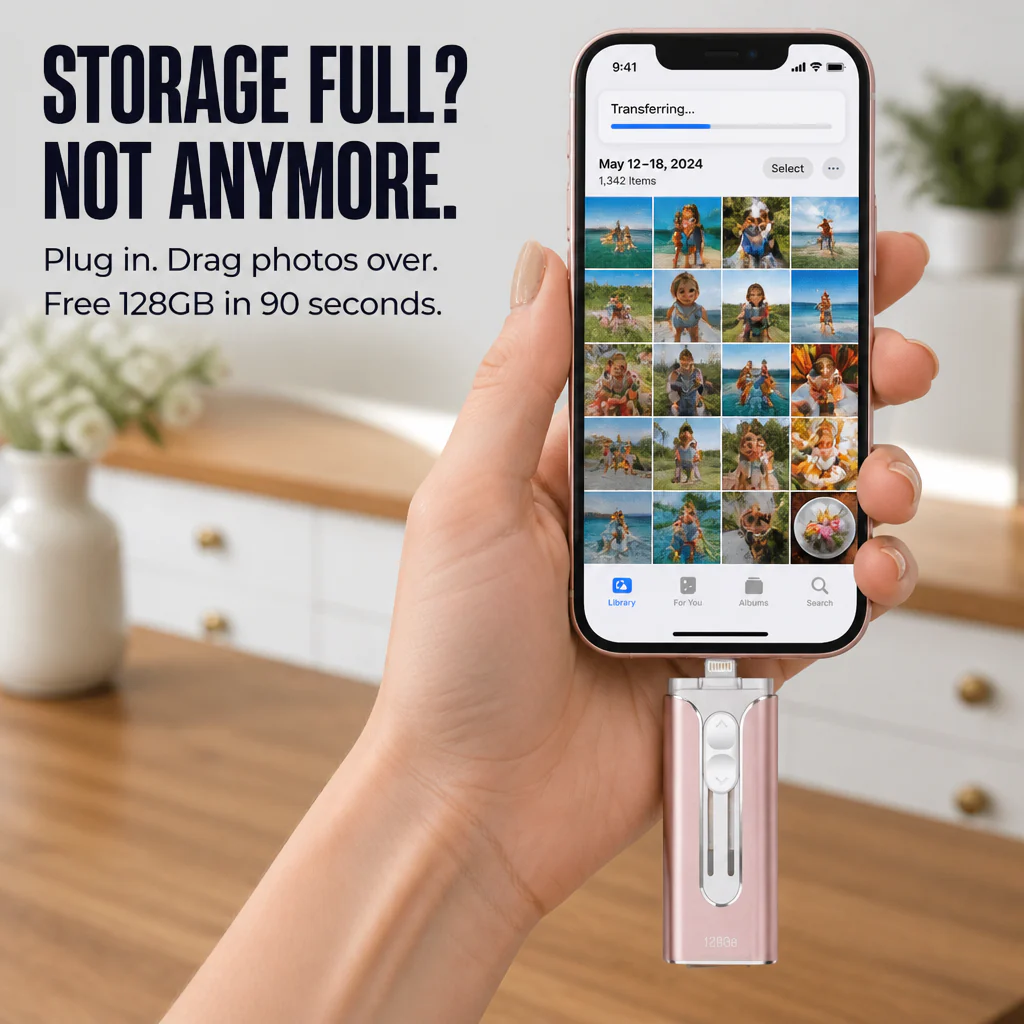
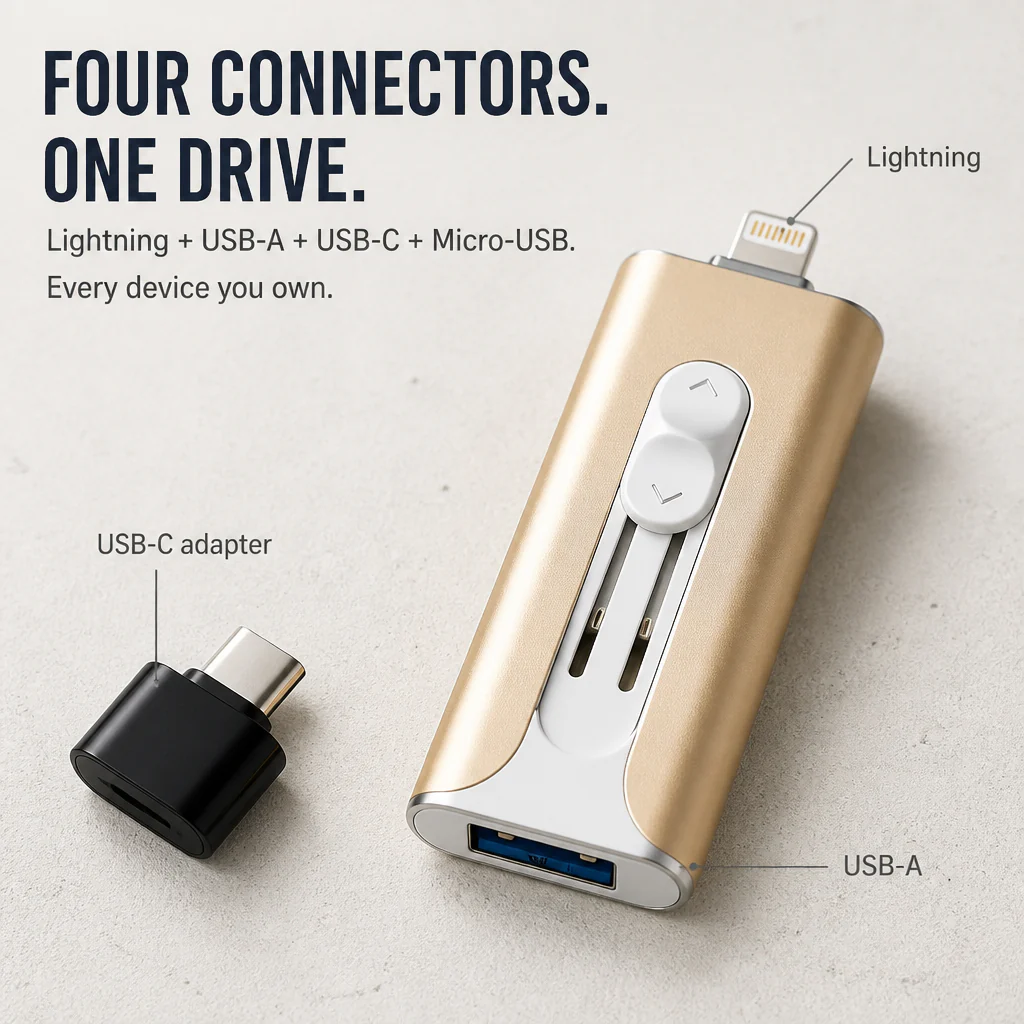
One device, four plugs — Lightning, USB-C, USB-A, and Micro-USB. Connect it to your iPhone (any generation), Android, iPad, MacBook, or PC, drag the photos and videos filling up your storage onto the drive, and reclaim space in under a minute. USB 3.0 speeds transfer 4K videos in seconds instead of taking an hour.

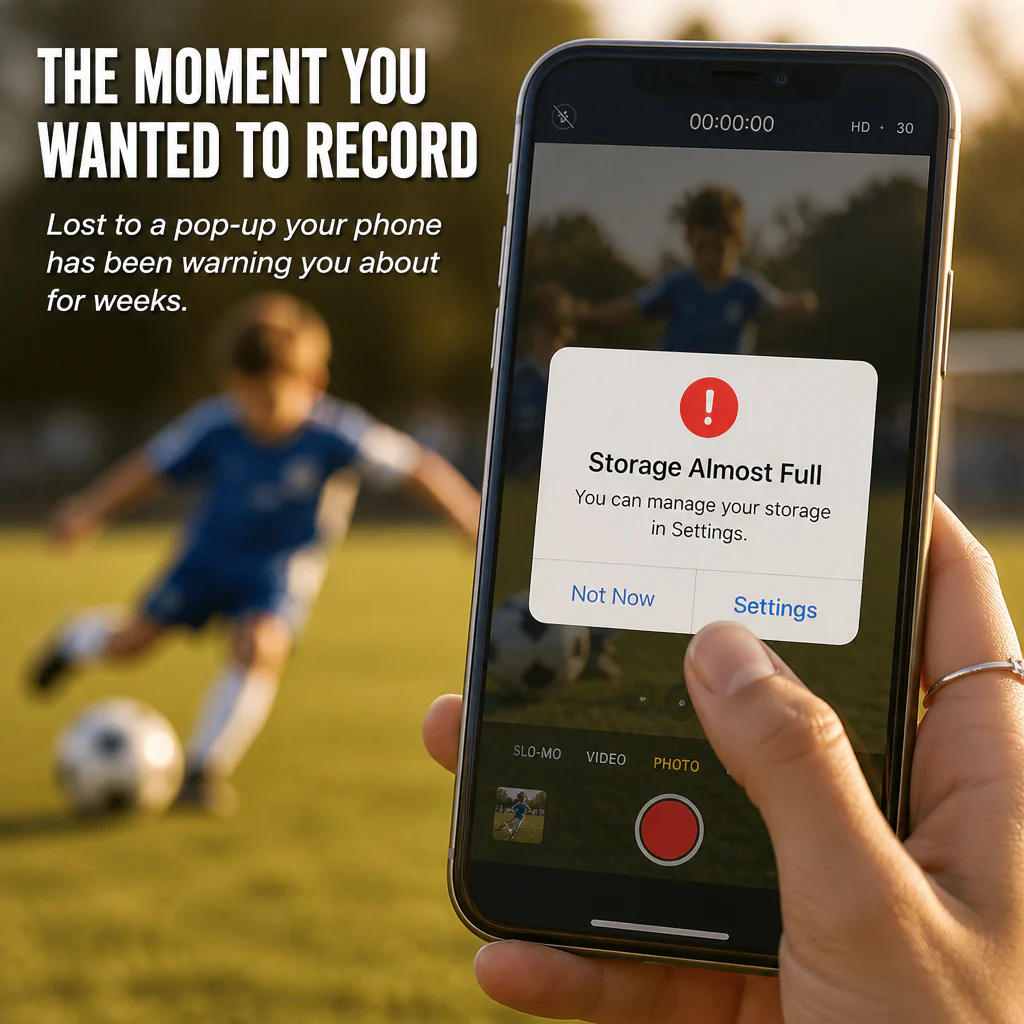
That "iPhone Storage Almost Full" Alert Shouldn’t Force You to Erase Your Kid's First Steps
You’re at the recital, wedding, or gymnastics meet. You tap record and your phone warns you that storage is full. So, you start deleting old screenshots one by one with one hand, trying not to miss the moment with the other. iCloud charges $2.99 a month forever. A second phone is overkill. You just want a place to store photos outside your camera roll.
➤ Four Plugs in a Single Drive: Lightning for older iPhones and iPads, USB-C for iPhone 15/16 and newer Androids, USB-A for any laptop, plus a Micro-USB adapter for older phones. One drive works across every device you own — no need for dongle hunting.
➤ USB 3.0 Transfer Rates (Up to 80 MB/s): Move a whole 4K video in seconds. Back up a year’s worth of photos in the time it takes to brew a coffee. On a USB 2.0 stick, that same job takes about three times longer.
➤ Watch Videos and View Photos Right From the Drive: Plug it in mid-flight, on the bus, or anywhere without Wi-Fi. Play videos, browse photos, and listen to music — no streaming, no buffering, no data fees.

Introducing FlashMate™ — One Device, Four Connectors, 128GB of Genuine Storage
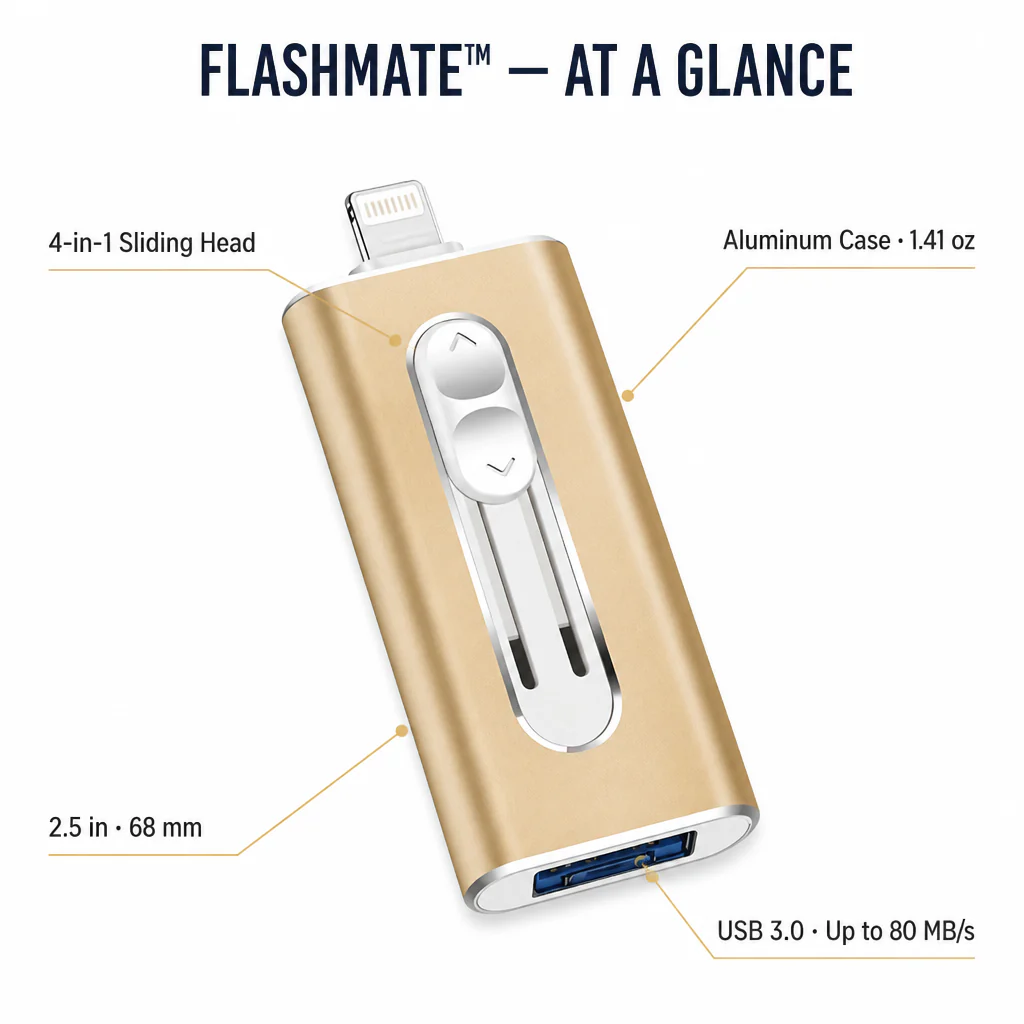
FlashMate™ features a sliding 4-in-1 connector head to reveal whichever plug you need: Lightning, USB-A, or USB-C (using the included adapter which also fits Micro-USB Androids). Inside, USB 3.0 delivers read speeds up to 80 MB/s and write speeds up to 30 MB/s — up to three times faster than USB 2.0 drives in this price range.
It plays back common photo, video, music, and document files straight from the drive — no Wi-Fi, no app subscriptions required. Encrypted storage ensures your most important photos stay on a physical device you control, not on a cloud owned by someone else.

"I Was the Biggest Doubter — Then Moved 4 Years of Photos Off My iPhone in 90 Seconds"
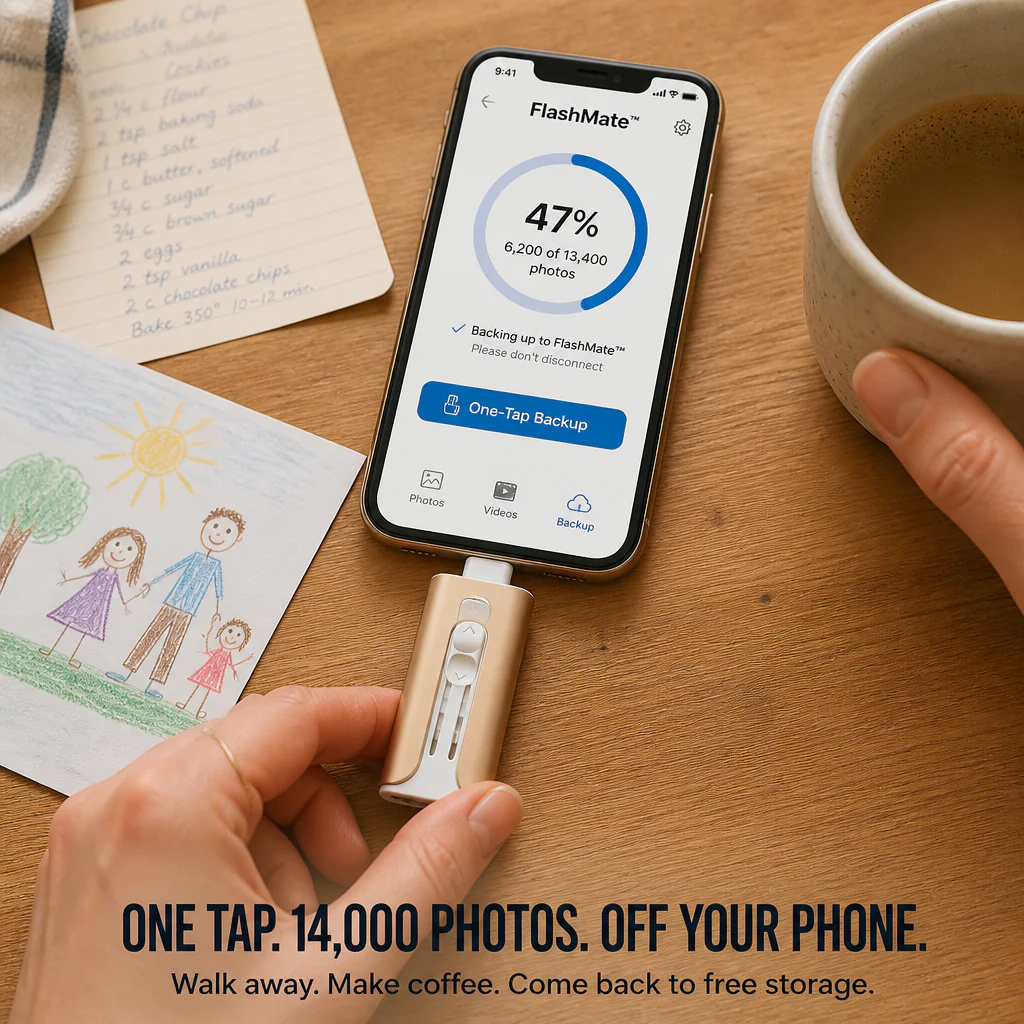
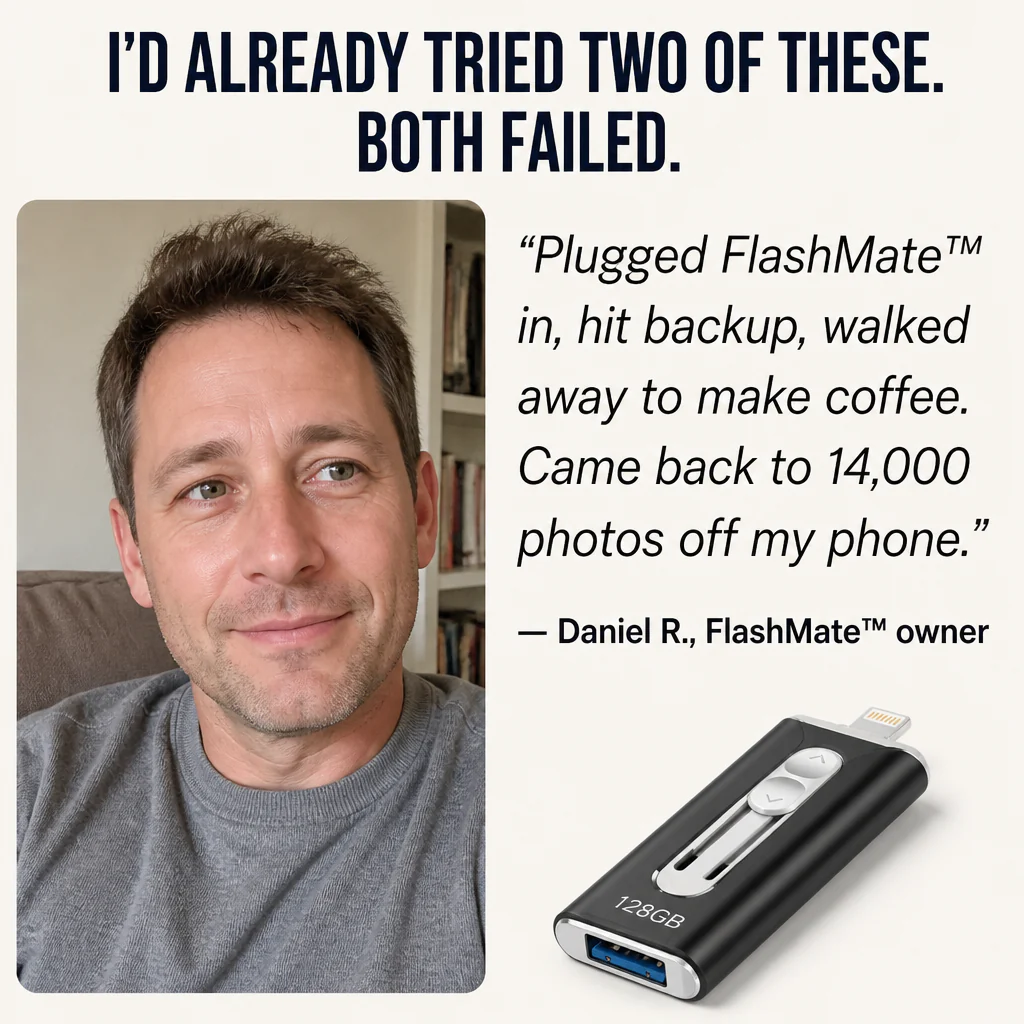
“I’d already tried two of these small flash drives — one never even appeared on my iPhone. Purchased FlashMate™ mainly because of the four-connector feature. Plugged it in, tapped backup in the app, went to make coffee. Came back to find 14,000 photos plus 90-something videos stored on the drive. Deleted them from my phone. First time my storage was under 70% since 2022.”
— Daniel R., FlashMate™ owner

Take Back Your Phone: 128GB of True Storage, One-Tap Backup, Zero Monthly Fees
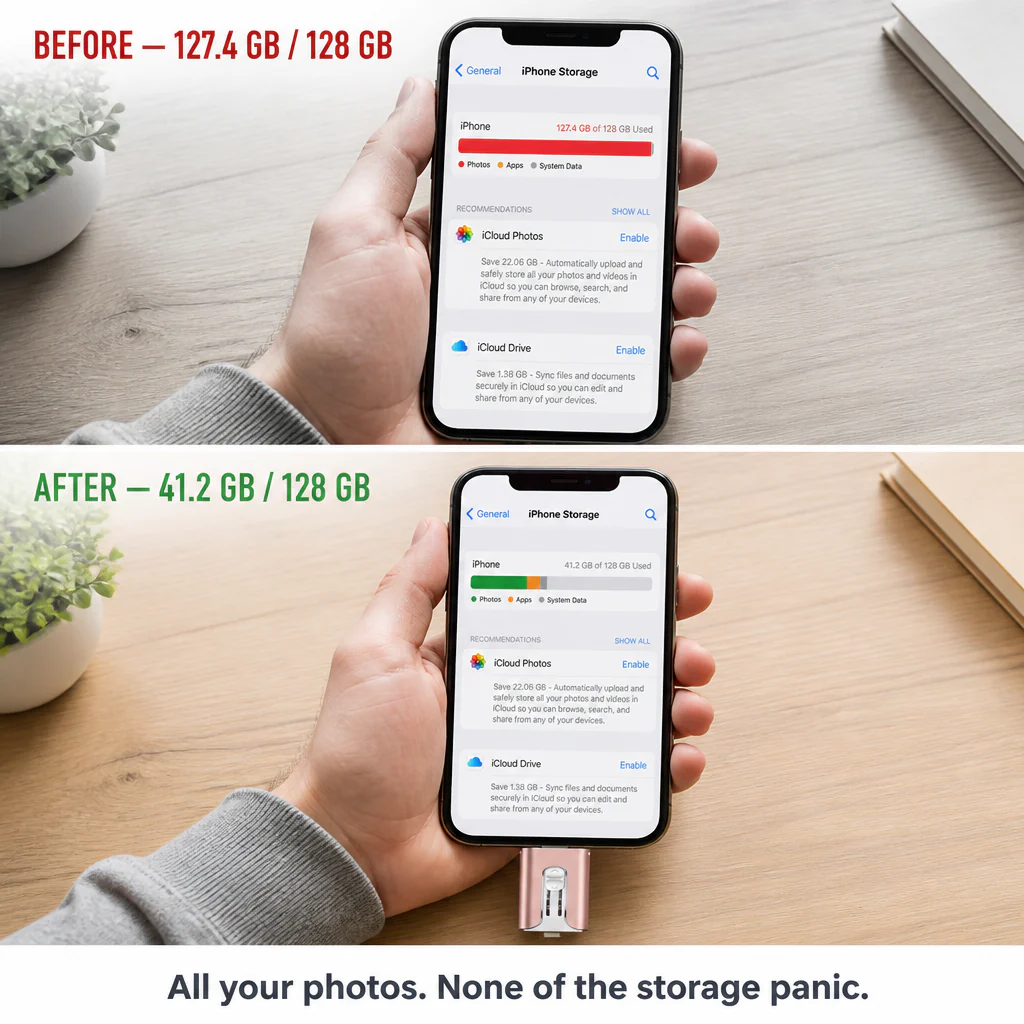
✓ Forget Storage Juggling: Move every photo, video, and old voice memo off your phone with a single drag. Your camera roll finally stops holding you back when you want to film.
✓ One-Tap Backup, No Cloud Fees: The companion app backs up your camera roll, contacts, and videos onto the drive with just one tap. No more $2.99/month draining your card endlessly.
✓ Pocket-Friendly: Weighs 1.41 oz, measures 2.5 inches long, with a slide-out metal body. Tucks into your pocket or onto a keychain without you even noticing.
How It Works: From "Storage Full" to Free Space in 3 Simple Steps
Step 1: Slide the connector head to reveal Lightning, USB-A, or USB-C (or attach the Micro-USB adapter). Plug into your phone or laptop — it appears as a drive within seconds.
Step 2: Drag and drop files manually, or launch the FlashMate™ app and back up your entire camera roll, contacts, and videos with one tap.
Step 3: Unplug. Your phone regains gigabytes of free space, and your photos live on a physical drive ready to plug into any device, anytime, without internet.

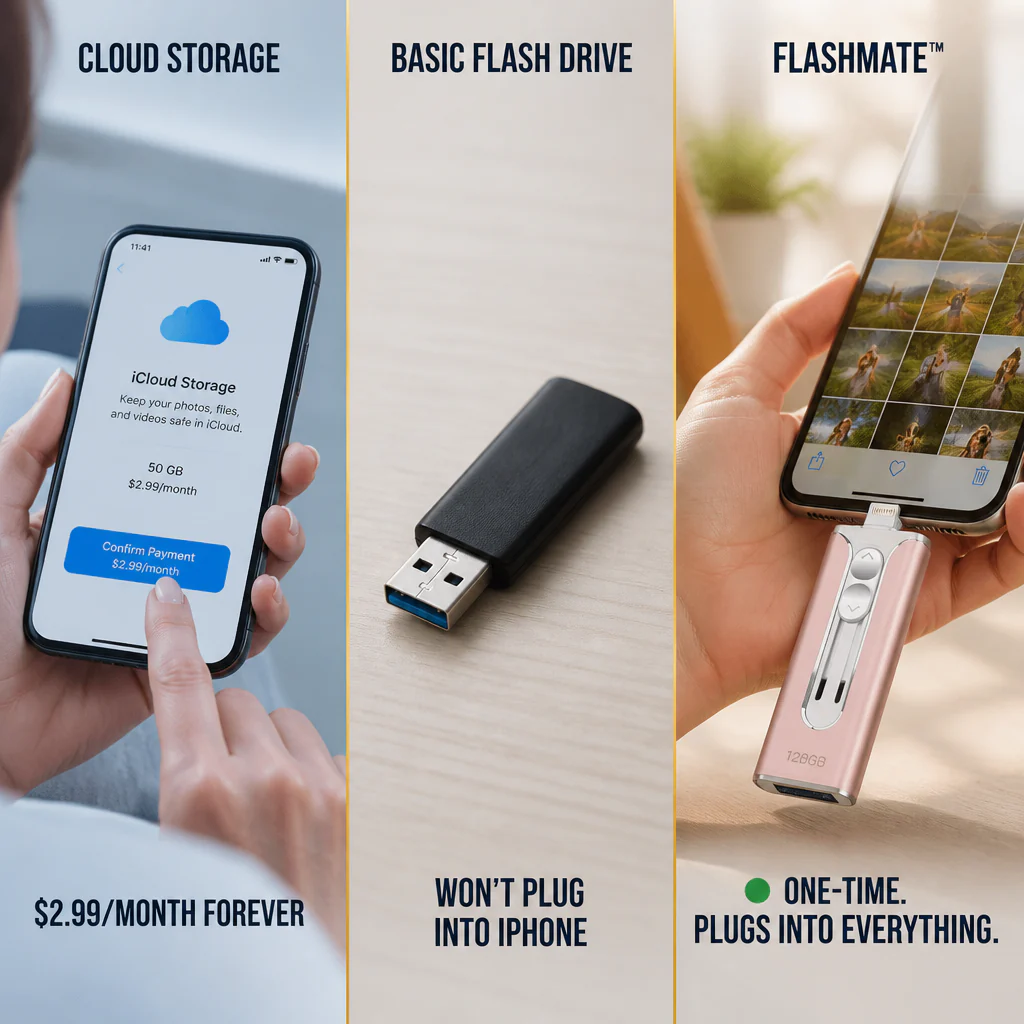
| FlashMate™ | Standard Flash Drive | iCloud / Cloud Storage |
|---|---|---|
| ✅ Four connectors — compatible with iPhone, Android, USB-C, and USB-A | ❌ Single connector — supports only one type of device | ❌ Requires Wi-Fi every time you access photos |
| ✅ USB 3.0 — up to 80 MB/s, 4K video in moments | ❌ USB 2.0 — roughly three times slower | ❌ Speed depends on your internet connection |
| ✅ One-time buy, files stay with you offline | ❌ Often limited to one device | ❌ Monthly fees forever; no signal means no access |
FlashMate™ Specs at a Glance
- Metal Body: Sliding aluminum shell — no cap to lose or break
- Speed: USB 3.0, up to 80 MB/s read and 30 MB/s write
- Four Connectors Included: Lightning, USB-A, USB-C (sliding head) plus Micro-USB adapter
- Compact Size: 2.5" × 1.02" × 0.39", 1.41 oz — about the weight of a stick of gum
Got Questions? Here’s What You Should Know
Will this work with my iPhone 15/16 (USB-C) AND my older iPhone (Lightning)?
Absolutely. FlashMate™ includes both Lightning and USB-C in the sliding head, so it’s compatible with iPhones from the 5 through the 16, all iPads, Macs, and any USB-C laptop. A Micro-USB adapter is also included for older Android devices.
Do I need Wi-Fi or internet to use it?
Nope. Everything occurs locally once the drive is plugged in — no internet, no cloud account, no fees. Transfer files, back up your camera roll, or watch videos right from the drive even in airplane mode.
What file types can it support?
It handles all common photo, video, music, document, and contact formats — JPG, PNG, HEIC, MP4, MOV, MP3, PDF, DOCX, and more. If your device can open it, FlashMate™ can store it.
How fast is the actual transfer speed?
USB 3.0 offers up to 80 MB/s read and 30 MB/s write speeds — about three times faster than USB 2.0 flash drives. A 4K video transfers in seconds; backing up a year’s worth of photos takes around 90 seconds for most users.
Is the backup app safe to install?
Yes. The companion app only accesses what you allow (camera roll, contacts) and writes files to the physical drive. Nothing is uploaded to the cloud or shared anywhere. You maintain full control of your files on a device you physically hold.

Order FlashMate™ Now and Stop Storage Limits from Dictating Your Memories
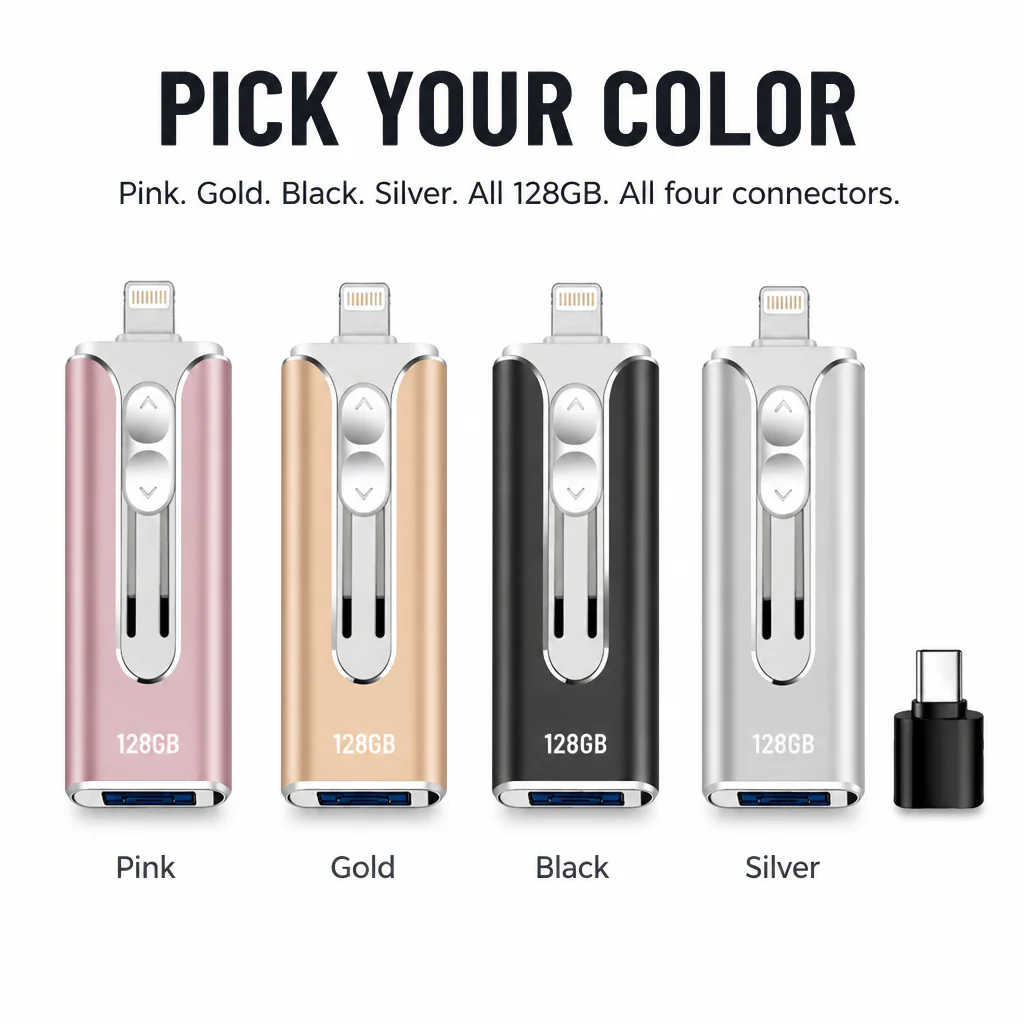
Choose your color (Pink, Gold, Black, or Silver), plug FlashMate™ into your phone, and never get the "Storage Almost Full" alert again. The photos and videos that matter shouldn’t be the ones you have to delete to make space.
Original: $24.99
-70%$24.99
$7.50Product Information
Product Information
Shipping & Returns
Shipping & Returns
Description
No More Deleting Photos to Free Up Space — Just Plug in FlashMate™ for 128GB Instant Storage
One device, four plugs — Lightning, USB-C, USB-A, and Micro-USB. Connect it to your iPhone (any generation), Android, iPad, MacBook, or PC, drag the photos and videos filling up your storage onto the drive, and reclaim space in under a minute. USB 3.0 speeds transfer 4K videos in seconds instead of taking an hour.
That "iPhone Storage Almost Full" Alert Shouldn’t Force You to Erase Your Kid's First Steps
You’re at the recital, wedding, or gymnastics meet. You tap record and your phone warns you that storage is full. So, you start deleting old screenshots one by one with one hand, trying not to miss the moment with the other. iCloud charges $2.99 a month forever. A second phone is overkill. You just want a place to store photos outside your camera roll.
➤ Four Plugs in a Single Drive: Lightning for older iPhones and iPads, USB-C for iPhone 15/16 and newer Androids, USB-A for any laptop, plus a Micro-USB adapter for older phones. One drive works across every device you own — no need for dongle hunting.
➤ USB 3.0 Transfer Rates (Up to 80 MB/s): Move a whole 4K video in seconds. Back up a year’s worth of photos in the time it takes to brew a coffee. On a USB 2.0 stick, that same job takes about three times longer.
➤ Watch Videos and View Photos Right From the Drive: Plug it in mid-flight, on the bus, or anywhere without Wi-Fi. Play videos, browse photos, and listen to music — no streaming, no buffering, no data fees.
Introducing FlashMate™ — One Device, Four Connectors, 128GB of Genuine Storage
FlashMate™ features a sliding 4-in-1 connector head to reveal whichever plug you need: Lightning, USB-A, or USB-C (using the included adapter which also fits Micro-USB Androids). Inside, USB 3.0 delivers read speeds up to 80 MB/s and write speeds up to 30 MB/s — up to three times faster than USB 2.0 drives in this price range.
It plays back common photo, video, music, and document files straight from the drive — no Wi-Fi, no app subscriptions required. Encrypted storage ensures your most important photos stay on a physical device you control, not on a cloud owned by someone else.
"I Was the Biggest Doubter — Then Moved 4 Years of Photos Off My iPhone in 90 Seconds"
“I’d already tried two of these small flash drives — one never even appeared on my iPhone. Purchased FlashMate™ mainly because of the four-connector feature. Plugged it in, tapped backup in the app, went to make coffee. Came back to find 14,000 photos plus 90-something videos stored on the drive. Deleted them from my phone. First time my storage was under 70% since 2022.”
— Daniel R., FlashMate™ owner
Take Back Your Phone: 128GB of True Storage, One-Tap Backup, Zero Monthly Fees
✓ Forget Storage Juggling: Move every photo, video, and old voice memo off your phone with a single drag. Your camera roll finally stops holding you back when you want to film.
✓ One-Tap Backup, No Cloud Fees: The companion app backs up your camera roll, contacts, and videos onto the drive with just one tap. No more $2.99/month draining your card endlessly.
✓ Pocket-Friendly: Weighs 1.41 oz, measures 2.5 inches long, with a slide-out metal body. Tucks into your pocket or onto a keychain without you even noticing.
How It Works: From "Storage Full" to Free Space in 3 Simple Steps
Step 1: Slide the connector head to reveal Lightning, USB-A, or USB-C (or attach the Micro-USB adapter). Plug into your phone or laptop — it appears as a drive within seconds.
Step 2: Drag and drop files manually, or launch the FlashMate™ app and back up your entire camera roll, contacts, and videos with one tap.
Step 3: Unplug. Your phone regains gigabytes of free space, and your photos live on a physical drive ready to plug into any device, anytime, without internet.
| FlashMate™ | Standard Flash Drive | iCloud / Cloud Storage |
|---|---|---|
| ✅ Four connectors — compatible with iPhone, Android, USB-C, and USB-A | ❌ Single connector — supports only one type of device | ❌ Requires Wi-Fi every time you access photos |
| ✅ USB 3.0 — up to 80 MB/s, 4K video in moments | ❌ USB 2.0 — roughly three times slower | ❌ Speed depends on your internet connection |
| ✅ One-time buy, files stay with you offline | ❌ Often limited to one device | ❌ Monthly fees forever; no signal means no access |
FlashMate™ Specs at a Glance
- Metal Body: Sliding aluminum shell — no cap to lose or break
- Speed: USB 3.0, up to 80 MB/s read and 30 MB/s write
- Four Connectors Included: Lightning, USB-A, USB-C (sliding head) plus Micro-USB adapter
- Compact Size: 2.5" × 1.02" × 0.39", 1.41 oz — about the weight of a stick of gum
Got Questions? Here’s What You Should Know
Will this work with my iPhone 15/16 (USB-C) AND my older iPhone (Lightning)?
Absolutely. FlashMate™ includes both Lightning and USB-C in the sliding head, so it’s compatible with iPhones from the 5 through the 16, all iPads, Macs, and any USB-C laptop. A Micro-USB adapter is also included for older Android devices.
Do I need Wi-Fi or internet to use it?
Nope. Everything occurs locally once the drive is plugged in — no internet, no cloud account, no fees. Transfer files, back up your camera roll, or watch videos right from the drive even in airplane mode.
What file types can it support?
It handles all common photo, video, music, document, and contact formats — JPG, PNG, HEIC, MP4, MOV, MP3, PDF, DOCX, and more. If your device can open it, FlashMate™ can store it.
How fast is the actual transfer speed?
USB 3.0 offers up to 80 MB/s read and 30 MB/s write speeds — about three times faster than USB 2.0 flash drives. A 4K video transfers in seconds; backing up a year’s worth of photos takes around 90 seconds for most users.
Is the backup app safe to install?
Yes. The companion app only accesses what you allow (camera roll, contacts) and writes files to the physical drive. Nothing is uploaded to the cloud or shared anywhere. You maintain full control of your files on a device you physically hold.
Order FlashMate™ Now and Stop Storage Limits from Dictating Your Memories
Choose your color (Pink, Gold, Black, or Silver), plug FlashMate™ into your phone, and never get the "Storage Almost Full" alert again. The photos and videos that matter shouldn’t be the ones you have to delete to make space.